
How to delete your account
04 APR 2024
This is a guide to help users delete their account.
Please note:
- 1.users can only delete their accounts throught the takerslogistics app.
- 2.after users requested that their account be deleted ,the process will take up to 90 days, within which users can email us withinn said period to reverse said process.
- 3.deleting your account means you will you will loose all your data acroos our platform, with which being said, this process cannot be reversed after the inital 90 day period.
Deleting accounts through the app
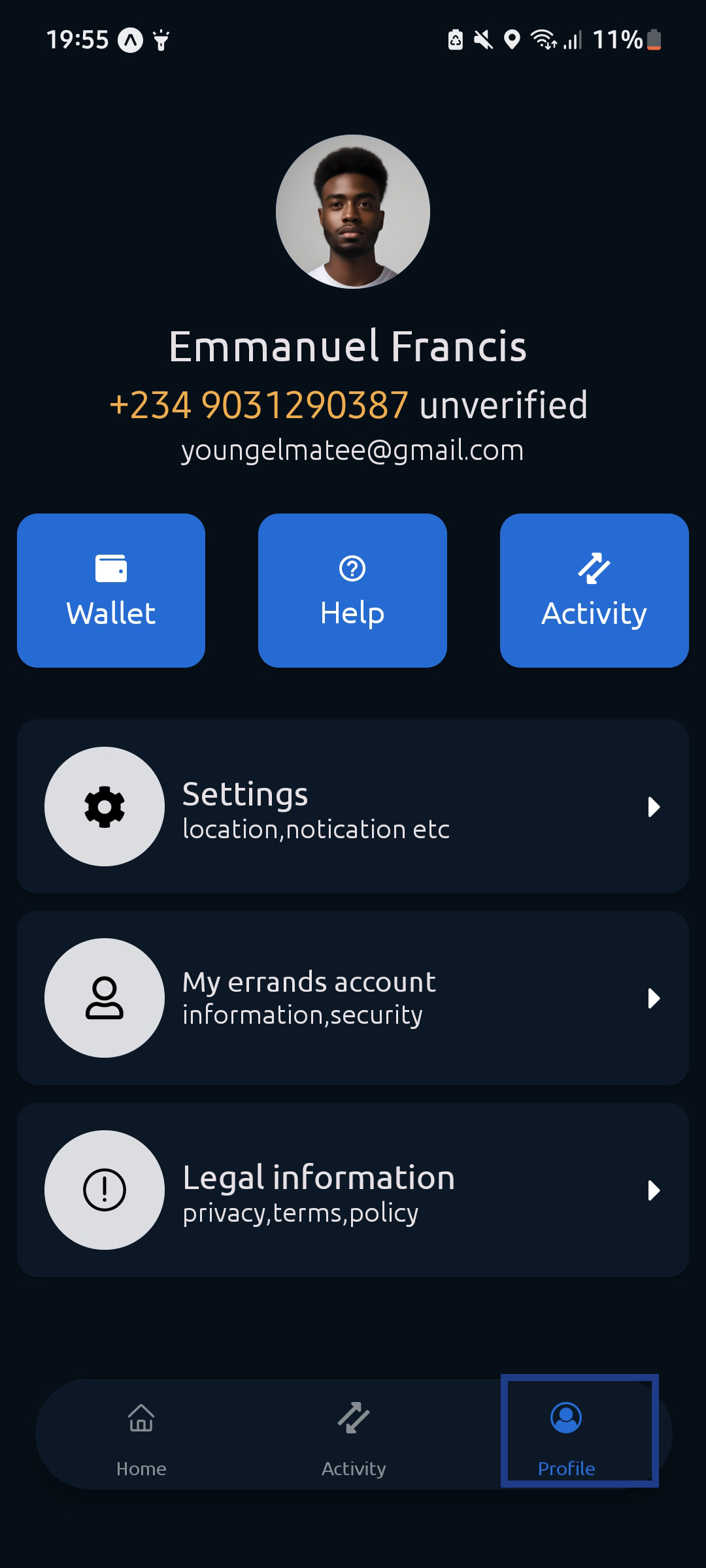
1.Go to profile from the bottom menu
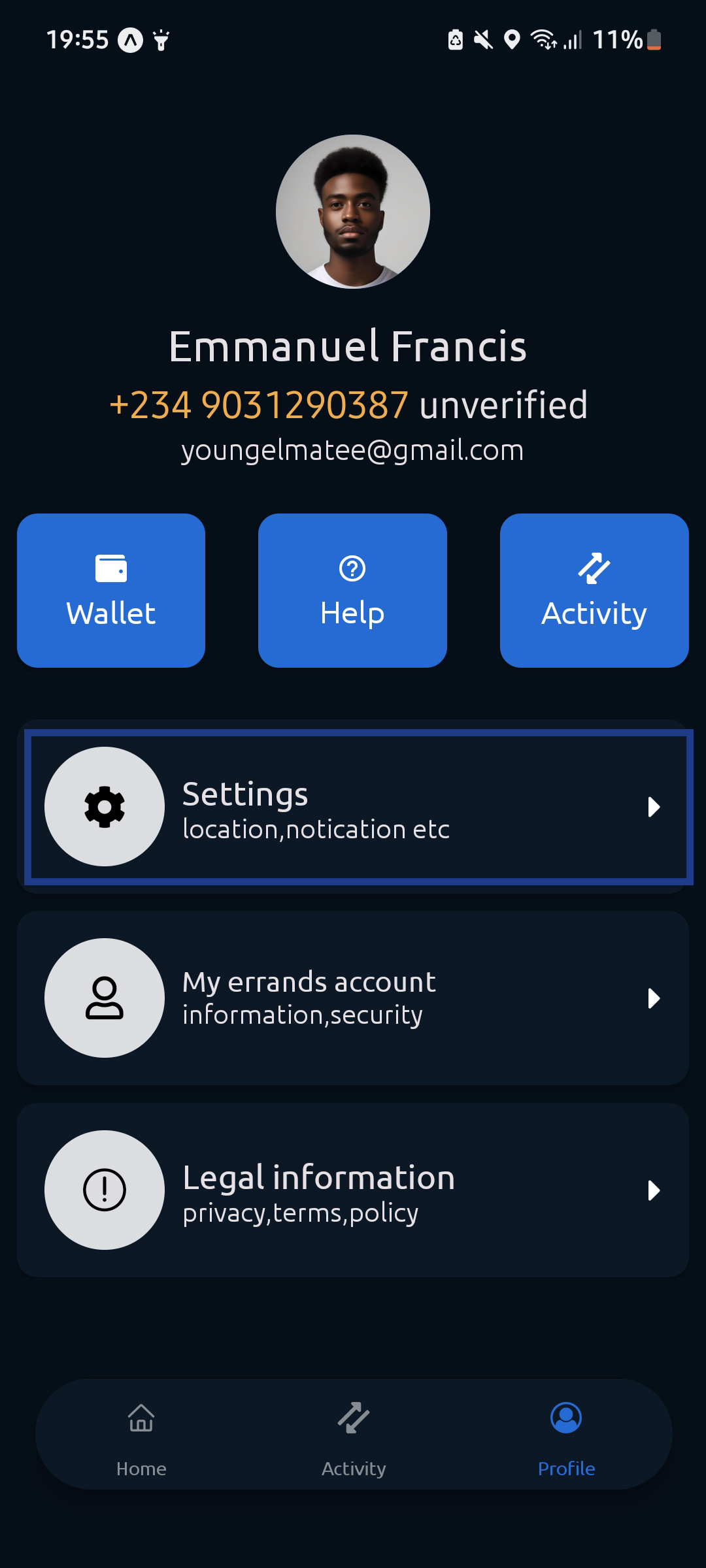
2.Select settings from the profile screen
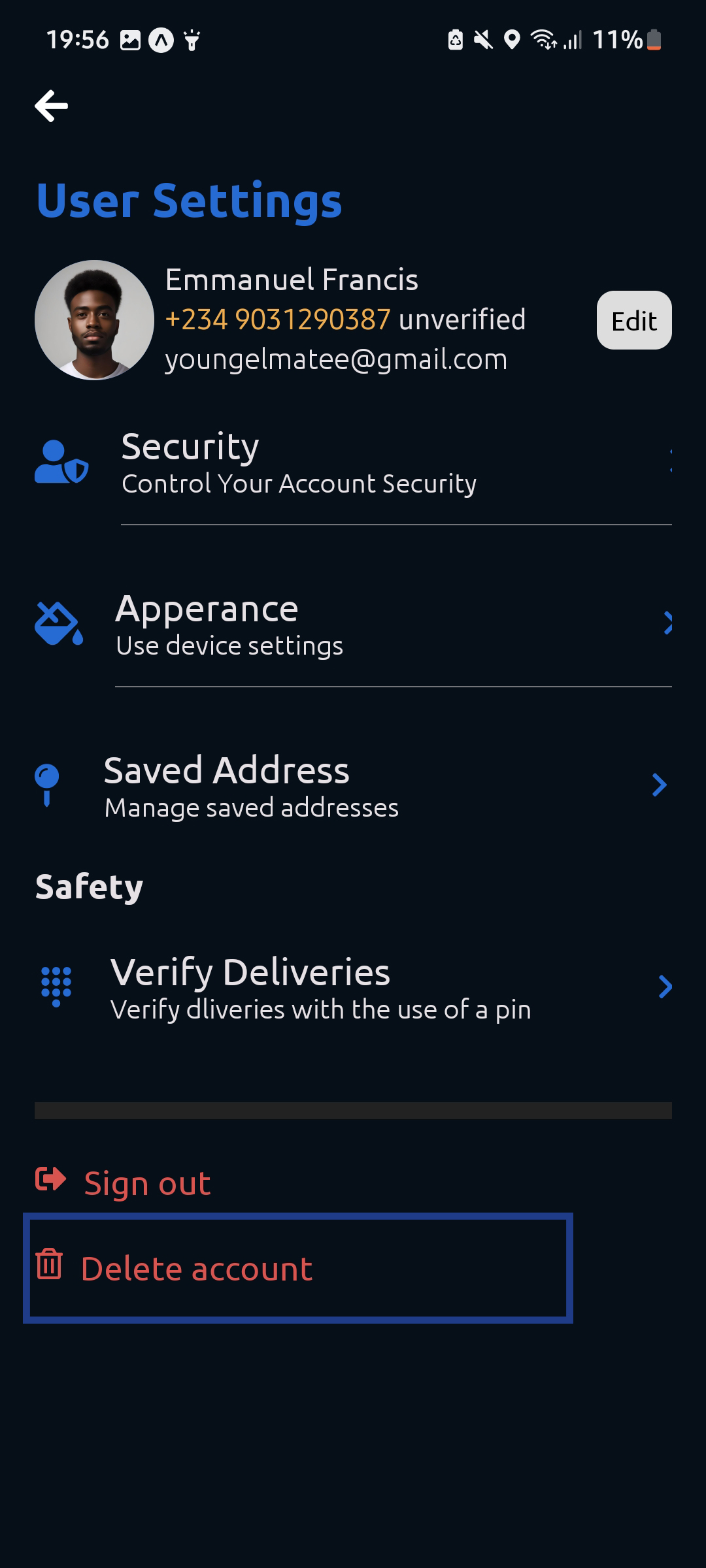
3.Click on delete account ftom the settings screen
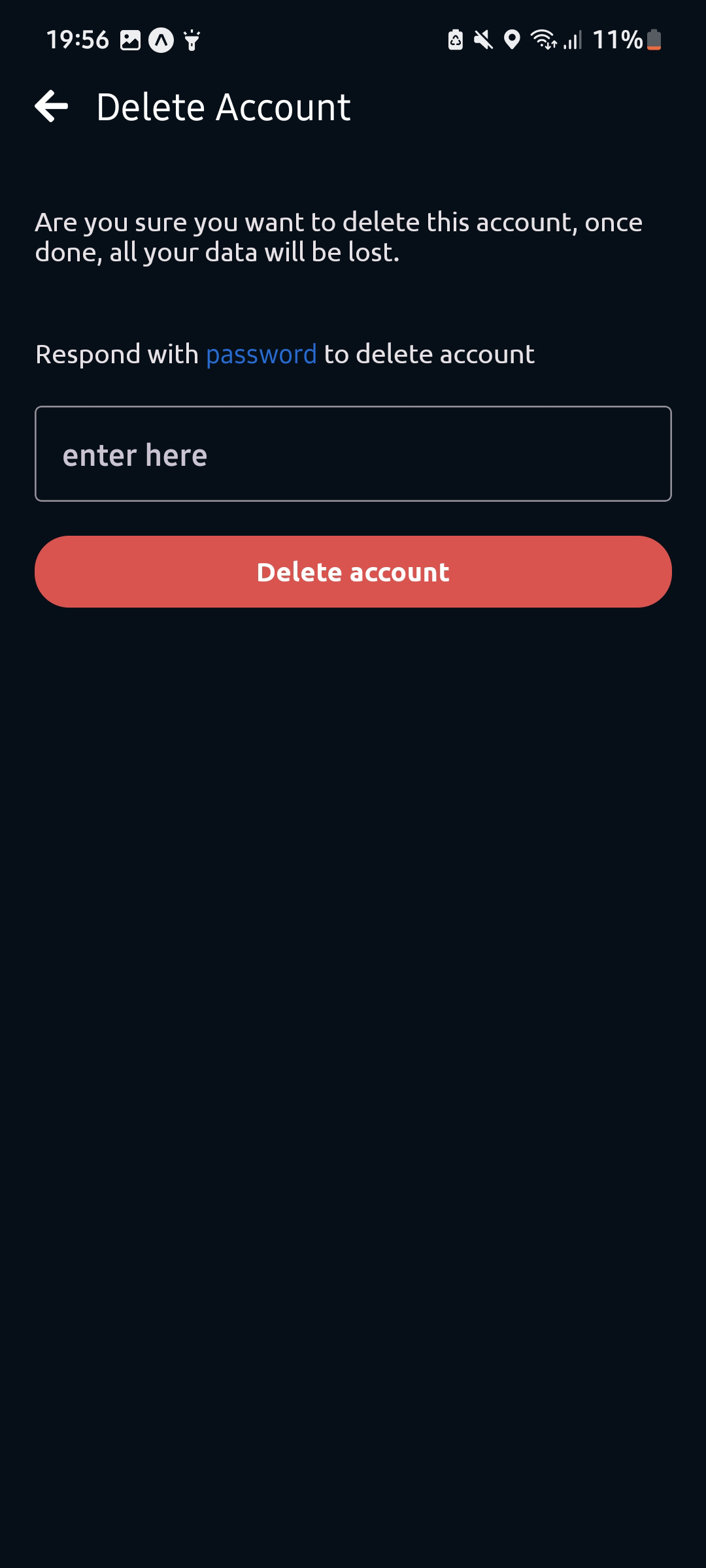
4.input password in the unput box and then click the delete button, wait for the prompt and then your account will be deleted
Thats it your account has been deleted and your request will be completed in 90 days.